Image to STL converter
Upload a drawing, logo or silhouette and get a watertight STL you can slice straight away. The outline is traced for you, you set the size in millimetres, and every area of the picture can have its own height.
Drop your picture here
PNG, JPG or SVG · up to 20 MB · a 3D preview in seconds
Choose a picture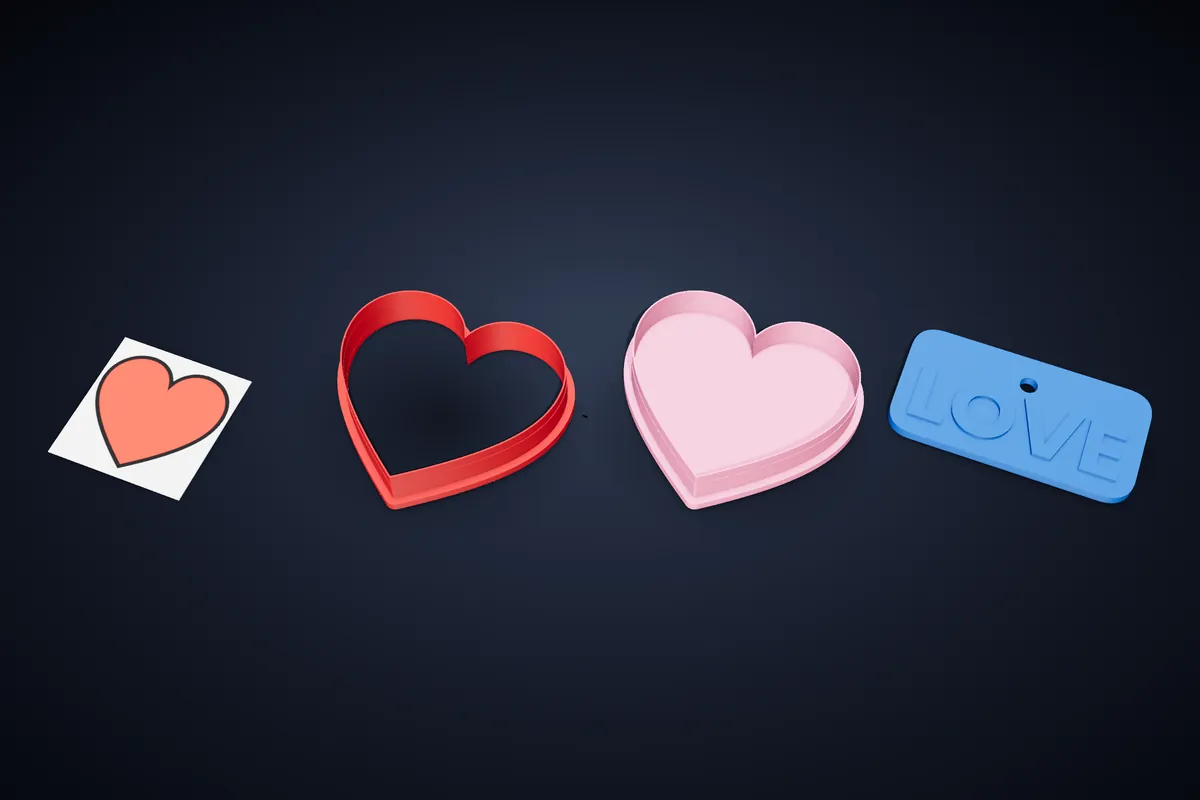
How it works
- 1
Upload the picture
SVG, PNG or JPG. A PNG or JPG is traced into clean vector outlines in the browser, so a scan of a pen drawing works as well as a file from a design program. Nothing is uploaded to a server to do it.
- 2
Set the size
Type the size you want in millimetres (or inches) and the model is scaled to it exactly. Flip it left to right or top to bottom if the print has to read the other way round, as a stamp does.
- 3
Give it depth
Outer and inner offsets build walls around the outline; per-area heights raise each enclosed shape of the picture to its own level. That is the difference between a cookie cutter, a raised relief and a stamp.
- 4
Check and download
The print check looks for holes in the surface, non-manifold edges and walls too thin for a nozzle before the STL is written. Three STL downloads a month are free.
What an image can become
A flat picture has no depth of its own, so a converter has to decide what the depth means. Here you decide, and the same upload can turn into several quite different prints.
- Cookie or clay cutter
- A thin cutting wall along the outline, with a wider rim on top for pressing. Free.
- Raised relief
- Each enclosed area of the picture at its own height, for plaques, badges, signs and embossed cutters. Free.
- Stamp
- The design raised on a block with a handle, mirrored so the imprint reads correctly. Maker plan.
- Lithophane
- A photo turned into a panel whose thickness makes the picture when light shines through it. Pro plan.
- Multicolour clay set
- A flat-colour drawing split into a base cutter and a cutter for every colour area. Pro plan.
- Name keychain
- No picture needed: type a name and get a two-colour keychain. Free.
Which pictures convert well
Strong contrast wins. Black shapes on white — a silhouette, a logo, a marker drawing, a child's sketch traced over in pen — trace into crisp outlines. Soft shading and photographs do not have edges to follow; for a photo, the lithophane is the right tool.
Mind the scale. A line that is 0.5 mm wide on the finished print is thinner than most nozzles can lay down, so either print the design larger or thicken the lines before you upload. The print check will flag walls that are too thin.
If the picture needs cleaning up first — a stray mark, a gap in an outline, text to add — the SVG editor on the Maker plan lets you edit the traced shapes before they become a model.
Why not a general mesh converter?
Generic image-to-STL tools extrude every pixel as a height, which gives a heavy, stepped mesh that slicers struggle with and that rarely prints the way the picture looked. Tracing the picture into outlines first gives smooth curves, a small file and walls whose thickness you actually chose.
The model is built for printing flat on the bed with no supports. A 0.2 mm layer height, three or four perimeters and 15–20% infill suits almost everything here, and none of it needs supports when printed flat on the bed.
Questions
Is the image to STL converter free?
Yes. Uploading, tracing, sizing and previewing are free with no account, and three STL downloads a month are free. Stamps, lithophanes and sets are in the paid plans.
Can I turn a photo into an STL?
A photo has no clear outlines to trace, so the cutter tools will not do much with it. Use the lithophane maker instead: it turns the brightness of the photo into thickness, and the picture appears when the print is held against light.
Does it make a full 3D model from a picture?
No — and no honest tool does from a single flat picture. It makes 2.5D models: shapes from the picture extruded to the heights you set. For cutters, reliefs, stamps, badges and signs, that is exactly what you want.
Can I export 3MF as well as STL?
Yes. STL suits a single-colour print; 3MF keeps separate parts as separate objects in the slicer, which you need for printing in more than one colour.
Are my images stored anywhere?
Tracing happens in your browser. A design is only kept on the server if you choose to save it to your account or publish it to the community gallery.
Related
Try it now
The cutter studio is free and needs no account. Rollers start on Maker at €5.99/mo.