Frequently asked questions
Everything the studio makes, how the controls behave, how print orders work and what each plan unlocks.
Getting started
CuttersTech is a browser-based parametric studio for 3D-printable craft tools and objects. Nothing is installed: the geometry is built in your browser and previewed live in 3D as you change a setting. If you have no printer, we print it for you.
Cutter
Cookie, fondant and polymer clay cutters from an image.
Roller
Embossing rollers from 82 patterns or your own artwork.
Stamps
Letter, number and symbol stamp sets.
Editor
Draw or correct artwork without leaving the studio.
3D Obj
Fifteen parametric object types: vases, boxes, lithophanes and more.
Sets
Cutter sets, game sets with puzzle boards, and pro kits.
Library
About a thousand ready, adjustable objects in twenty categories.
Around the studio: print ordering with delivery, My workshop for your brand and shops, and community designs.
Import
- • SVG — vector outlines, the sharpest result
- • PNG — raster, transparency respected
- • JPG — raster, best for lithophane photos
Export
- • STL — opens in every slicer
- • 3MF — keeps parts and colours separate
- • ZIP — one file per part or plate
A raster image is traced to outlines before anything is extruded, so a clean silhouette on a plain background traces far better than a photo. An SVG skips tracing, which is why it stays crisp at any size.
Yes. The unit switch in the studio header converts every dimension field and readout between millimetres and inches. It is a display preference — your design is not rescaled.
Exported STL and 3MF files are always in millimetres, which is what every slicer expects. Import at 1:1 and the size is exactly what the studio showed.
The site is available in English, Latvian, German, French, Spanish, Italian, Portuguese, Polish and Japanese. The address decides the language (for example /de/ for German), and you can switch in the footer at any time.
Prices are charged in euros. You can show approximate prices in US dollars or pounds sterling; the checkout always shows the exact euro amount.
Yes, in two ways:
- Order a print — save any design and we print it in PLA or PETG, in a colour you choose, and ship it. See Print orders & delivery.
- Ask for a custom design — describe what you need on the custom design page and we design, print and ship it. Quick tweaks start from €9, new objects from €29 and complex projects from €120; printing is priced separately.
Cookie cutters
- 1Upload an SVG, PNG or JPG. Shapes and holes are detected automatically.
- 2Size it in the Scaling tab, in millimetres or inches; the aspect ratio is kept.
- 3Shape the wall with the Outer and Inner offsets.
- 4Download STL or 3MF once the print-ready badge is green.
The step-by-step version is in Tips.
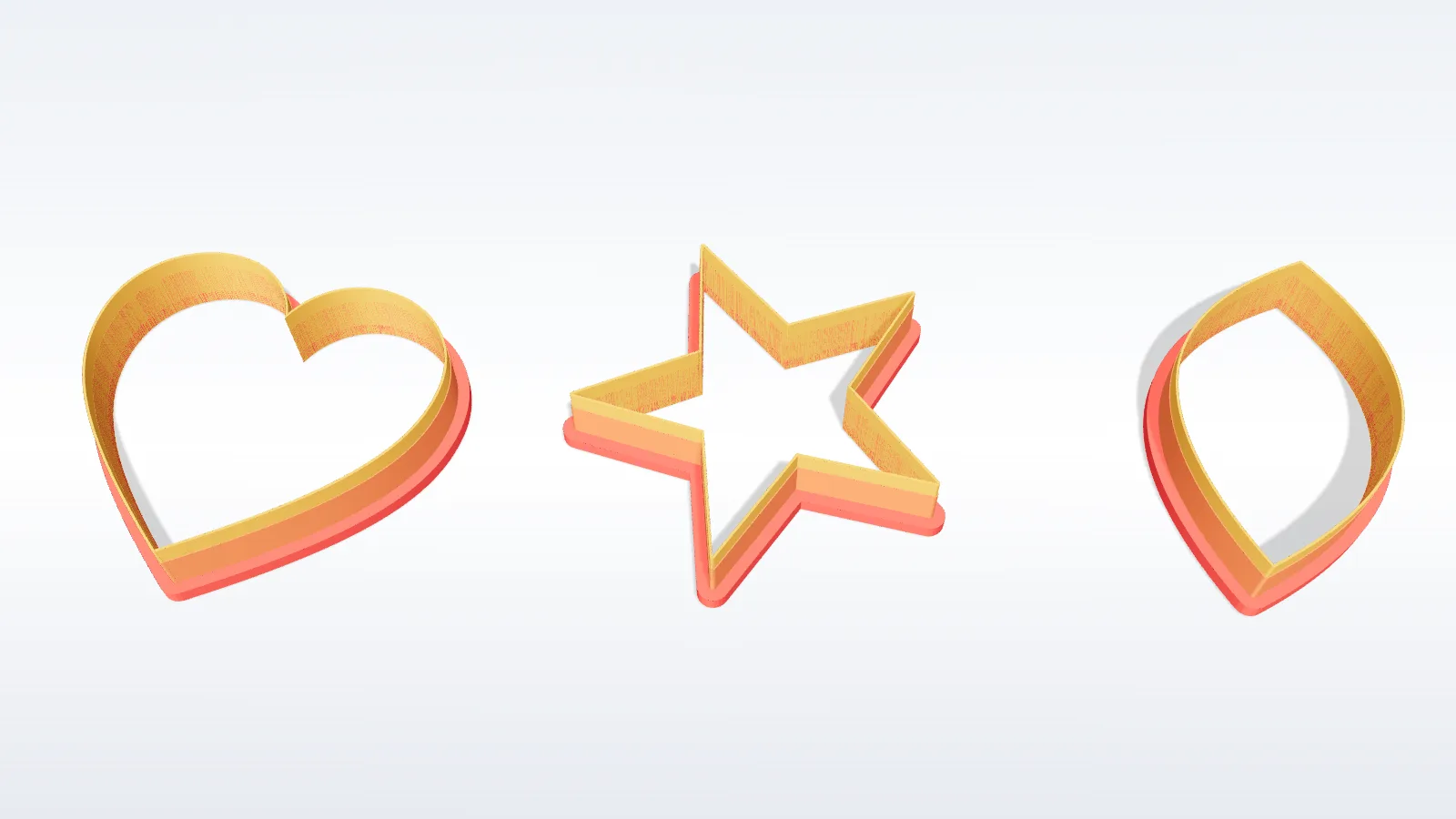
Outer offset
Builds the wall outside your contour, as stacked layers:
- • a wide bottom layer so the cutter does not flex
- • a middle layer that carries the load
- • a thin top layer that does the cutting
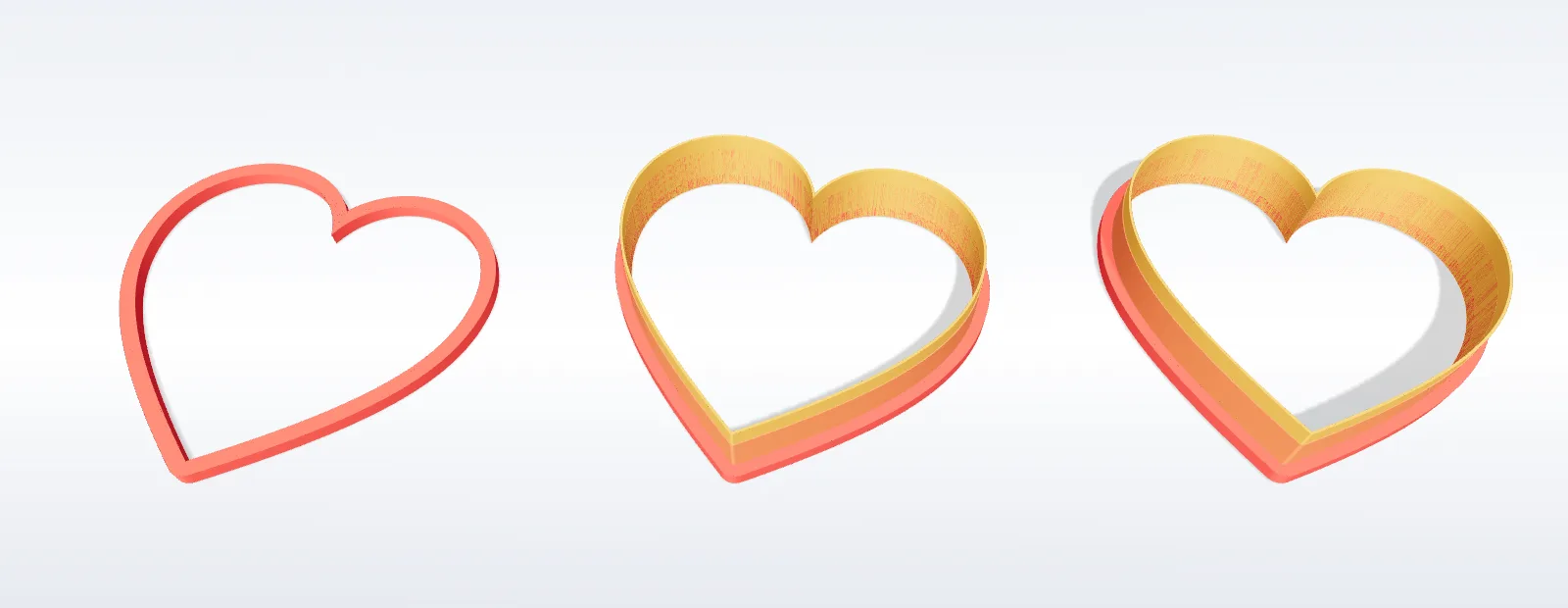
Inner offset
Adds material inside the contour, for:
- • embossed detail pressed into the dough
- • internal ribs on a large or thin shape
- • a raised lip that releases the dough cleanly
Every layer has its own thickness and height, so a delicate shape can carry a thicker base without blunting the edge.
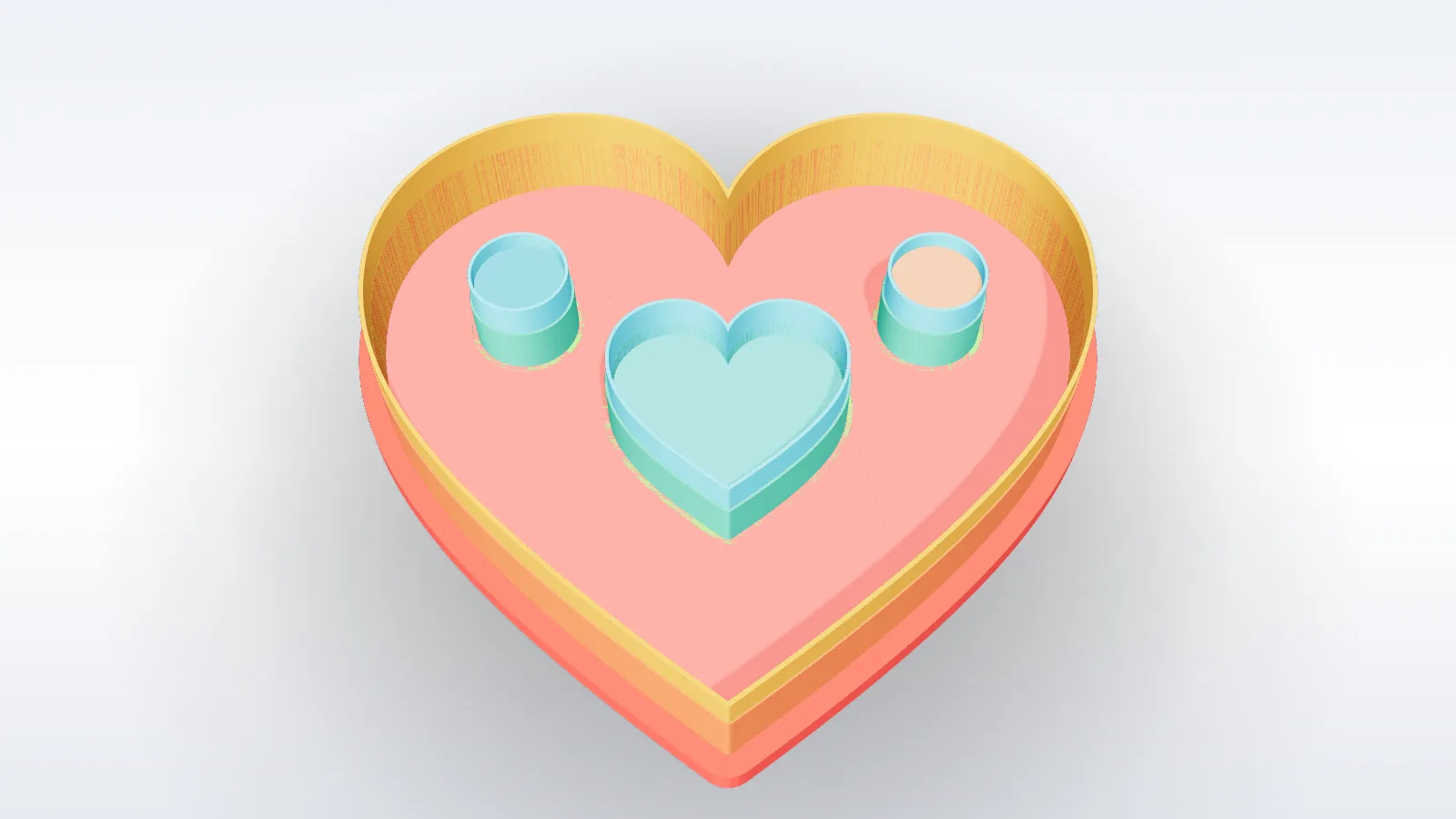
A drawing usually contains several closed shapes — the outline, the holes inside it and interior detail. The Polygons tab lists each one so you can treat them differently:
- Extrude on or off — leave decorative shapes out of the print
- Per-shape offset — a ring around one shape only
- Offset height — how tall that ring stands
- Shape height — how far the shape itself is extruded
- Earring holes (Hole tab) — cut in the same press as the outline, at the diameter and position you set, so a pair matches.
- Drill holes (Drill tab) — any number of holes for jump rings, dangles or cords.
- Horizontal hole (H-Hole tab) — a tube through the wall, for threading.
- Connectors — small bridges that brace floating parts, such as the inside of a letter, so the cutter holds together.
Connectors leave a tiny break in the cut line, normally invisible once the piece is lifted.
- Lower the wall: about 12 mm for dough, 8–10 mm for polymer clay, instead of the 15 mm default.
- Keep the base flange at 2–3 mm unless the cutter is large or flexes.
- Keep the blade at least one nozzle width (0.4–0.5 mm), no more.
- Print several cutters on one plate — or use Cutter Sets, which packs them for you.
More in Tips → Cookie & clay cutters.
Texture rollers
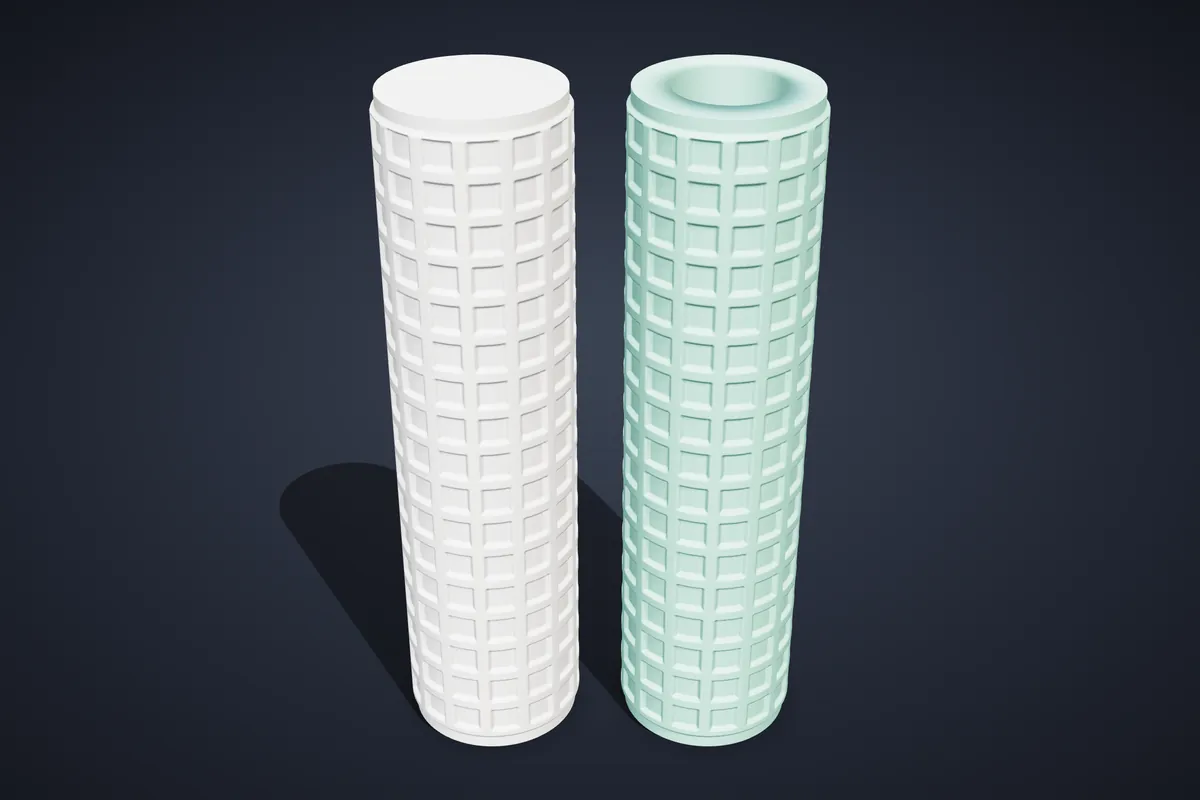
A texture roller presses a repeating pattern into clay, dough or fondant as you roll it. The maker builds one to your diameter and length, with the pattern wrapped so it meets itself seamlessly.
- The pattern library — patterns defined as mathematics, so edges stay sharp at any size
- Your own artwork — an SVG, PNG or JPG wrapped round the cylinder, with depth and direction per colour
Included from the Maker plan.
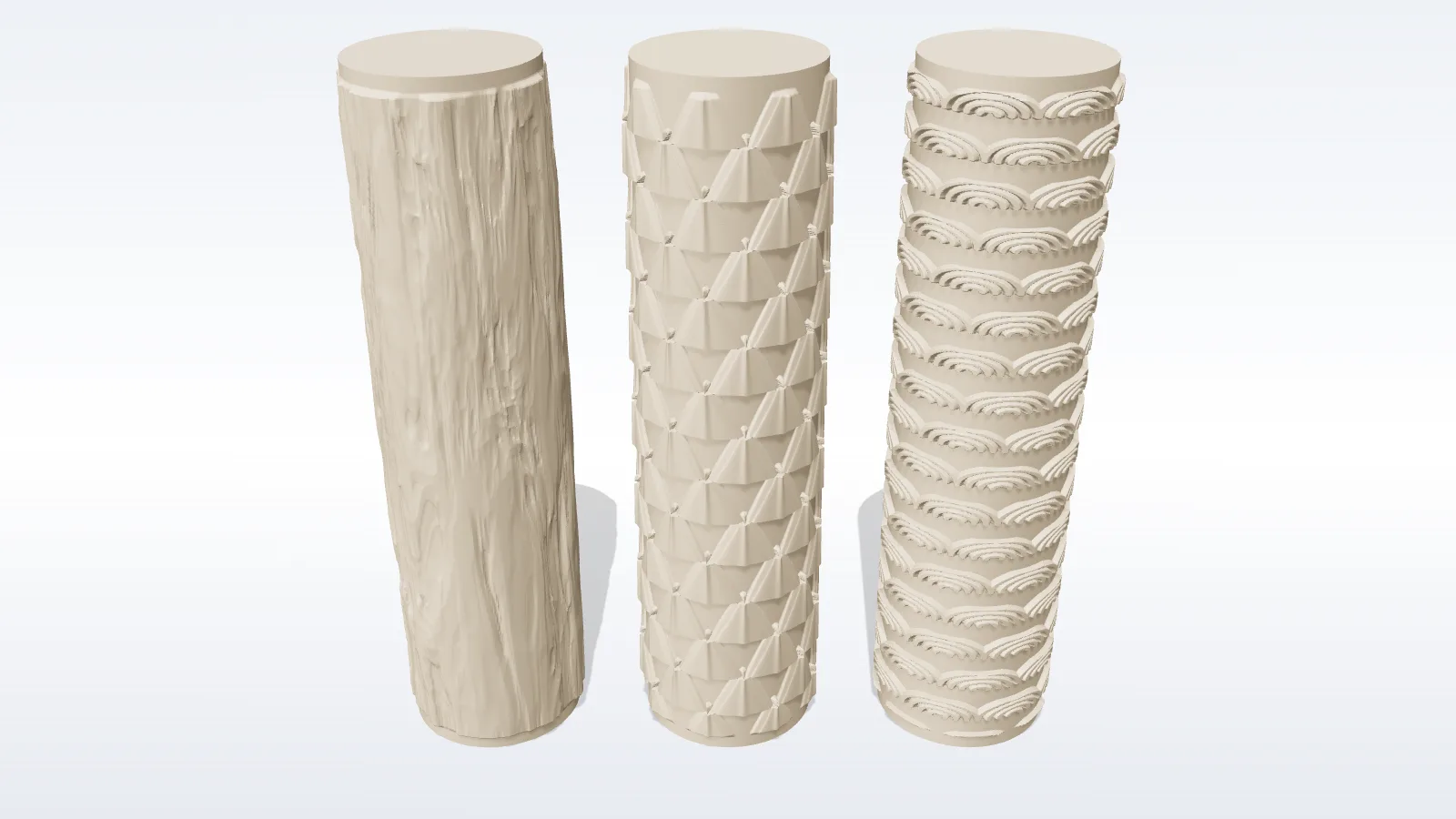
The library holds 82 patterns in nine categories:
None is a fixed picture. Each exposes motif size, rows round the roller, line weight, edge sharpness, depth, profile and twist — so one pattern can read as fine linen or a bold carved relief.
- icons from the built-in gallery, which works offline
- a search across the Iconify library
- letters, words or symbols in any catalogue font
Then choose the layout — grid, brick, diagonal or scatter — the rotation, and a size range so the repeats do not look mechanical.
Baking
- • emboss cookie dough before cutting
- • texture fondant for cake panels
- • roll decorative borders
Clay and ceramics
- • texture polymer clay for earrings
- • pattern ceramic slabs
- • press texture into soap and candle moulds
Hollow. Tick Hollow core on the Cylinder tab and the roller gets a bore straight through its axis; Wall thickness is what stays between the bore and the relief (4 mm is plenty). The slicer then prints a tube instead of a solid rod, which saves a large share of the filament and time.
A bonus: a wooden dowel or metal rod through the bore makes a handle.
Font stamps
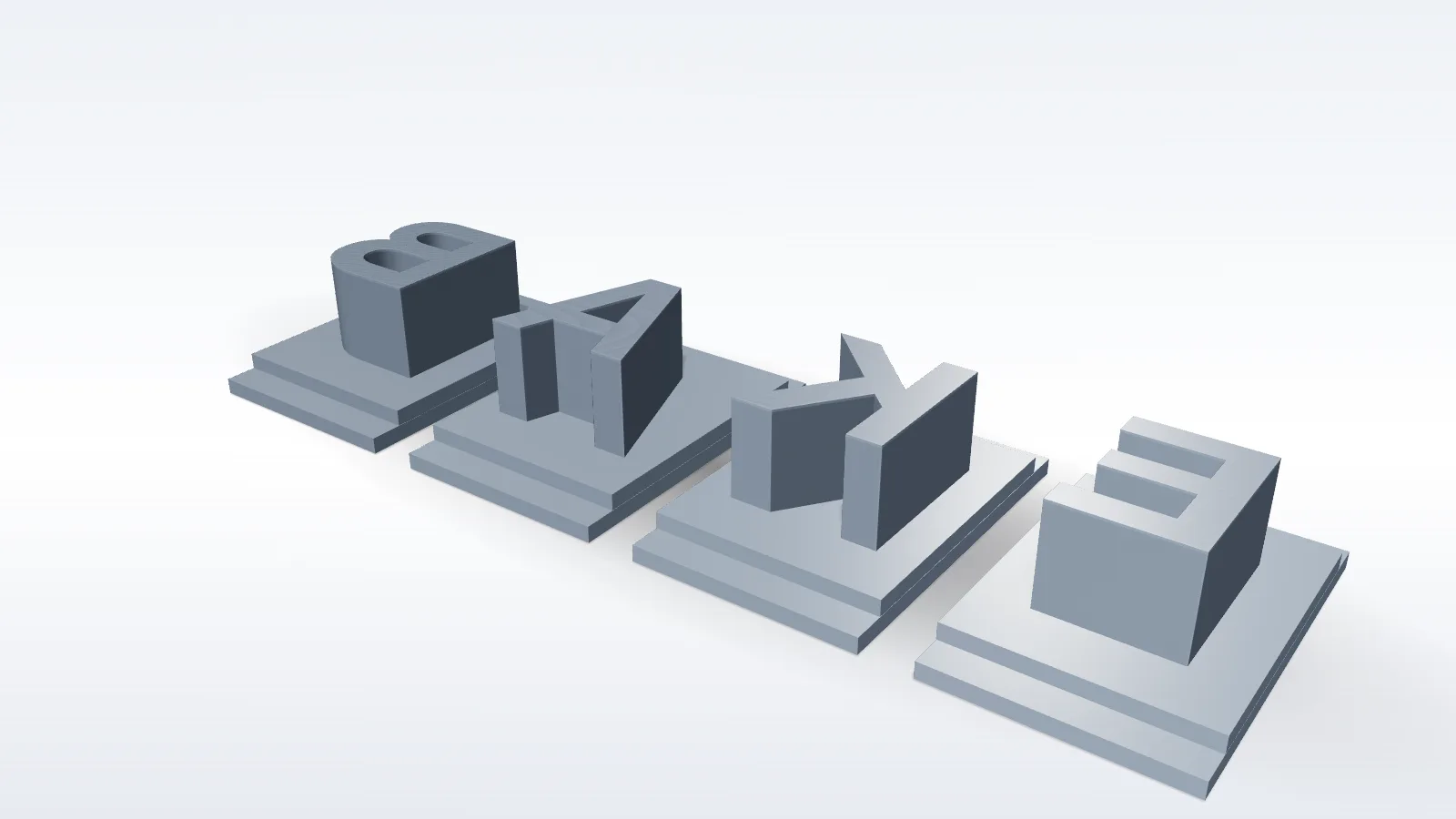
Printable stamps for pressing text into clay, fondant and ceramics, in the font you pick. The character is raised on the working face and shown on the top, so you can find it in the tray.
- Full sets or only what you need — uppercase, lowercase, numbers, symbols or your own characters
- Two handle types — a round column, or a flat pedestal that slides into a rail
- A rail that holds pedestal stamps side by side to stamp a whole word
- A storage box and lid sized to the set
- True to size — the font size is the printed character height
Included from the Maker plan.
SVG editor
Drawing or correcting artwork without leaving the studio, with the 3D preview beside the canvas.
- Snapping to endpoints, midpoints, centres, intersections and edges
- Typed dimensions while drawing, for exact sizes
- Text as outlines, so what you type extrudes as geometry
- A free icon library to drop in and reshape
- Undo and redo across everything
Included from the Maker plan.
Yes. Draw the shape in the editor and press Make cutter — no file needed. Make multicutter turns several shapes on one sheet into one cutter.
The editor is also where a traced photo gets rescued: delete stray fragments and simplify the curve rather than re-tracing.
3D objects
Fifteen object types, each defined by its parameters rather than a fixed model:
Each type has a preset grid to start from. Included from the Pro plan.
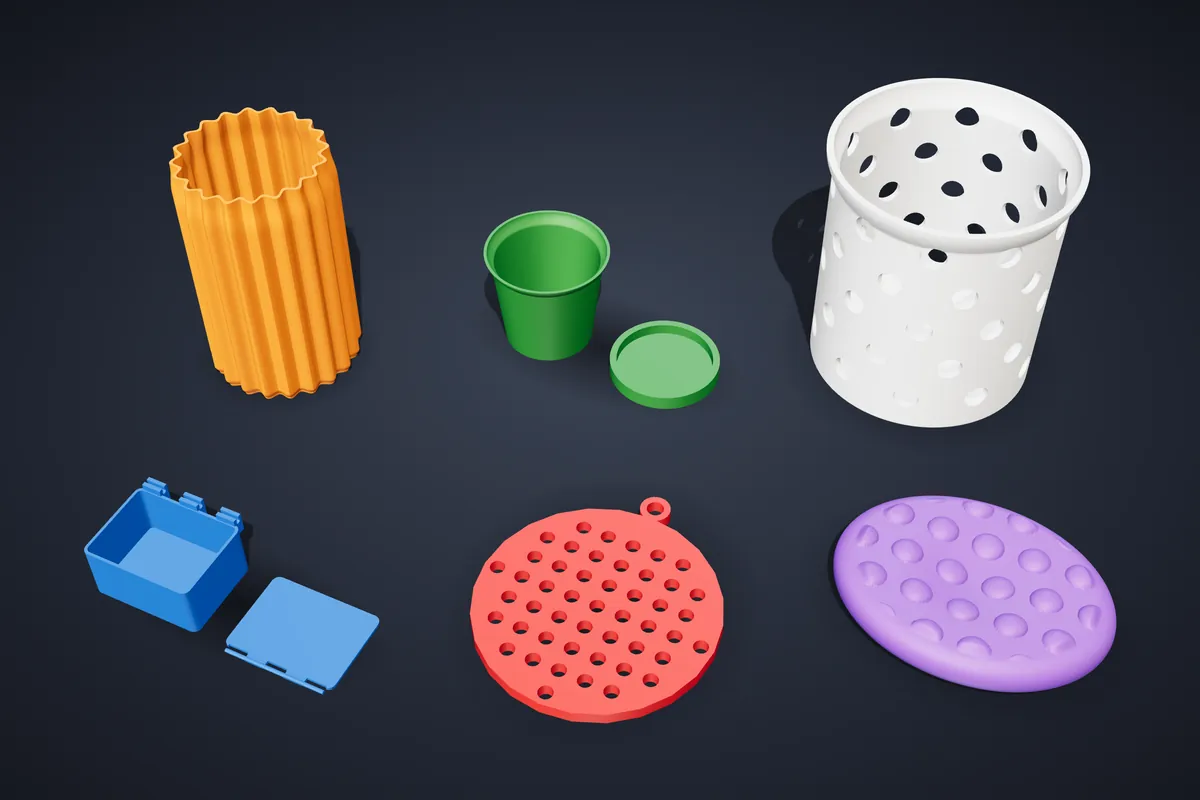
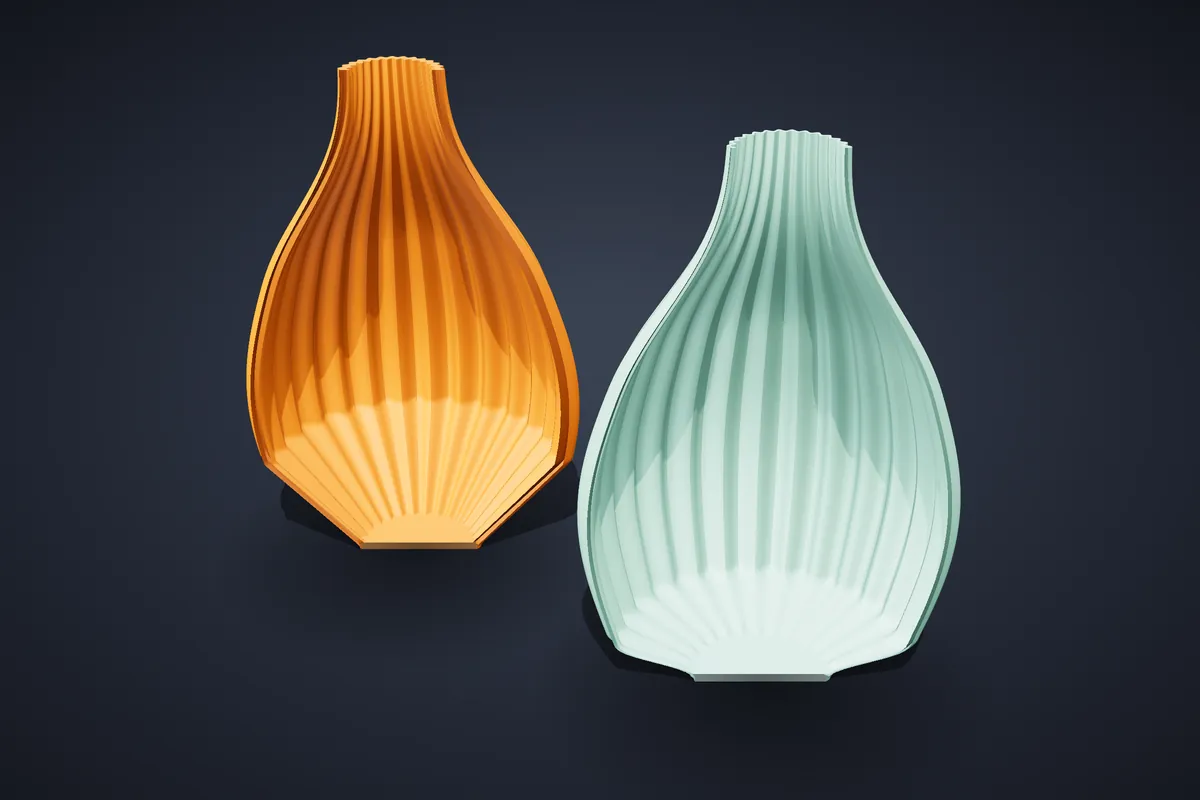
Vases start from twenty base profiles and over a hundred presets; the surface is a separate layer — flutes, twist, ripples, lobes, faceting or a pierced wall. Planters are tapered, cylindrical, rounded or bowl-shaped, with drainage holes and a matching saucer.
Vase mode (single thin wall, spiralize) on the Print tab prepares the vase for your slicer’s spiral mode, which prints one continuous line with no seam. It is the lightest and fastest way to print a decorative vase — usually a fraction of a solid-walled one.
If you prefer a normal print, a 1.6–2 mm wall instead of 3 mm already saves roughly a third to a half of the wall material. The guide Use a third less filament on a vase walks through it.
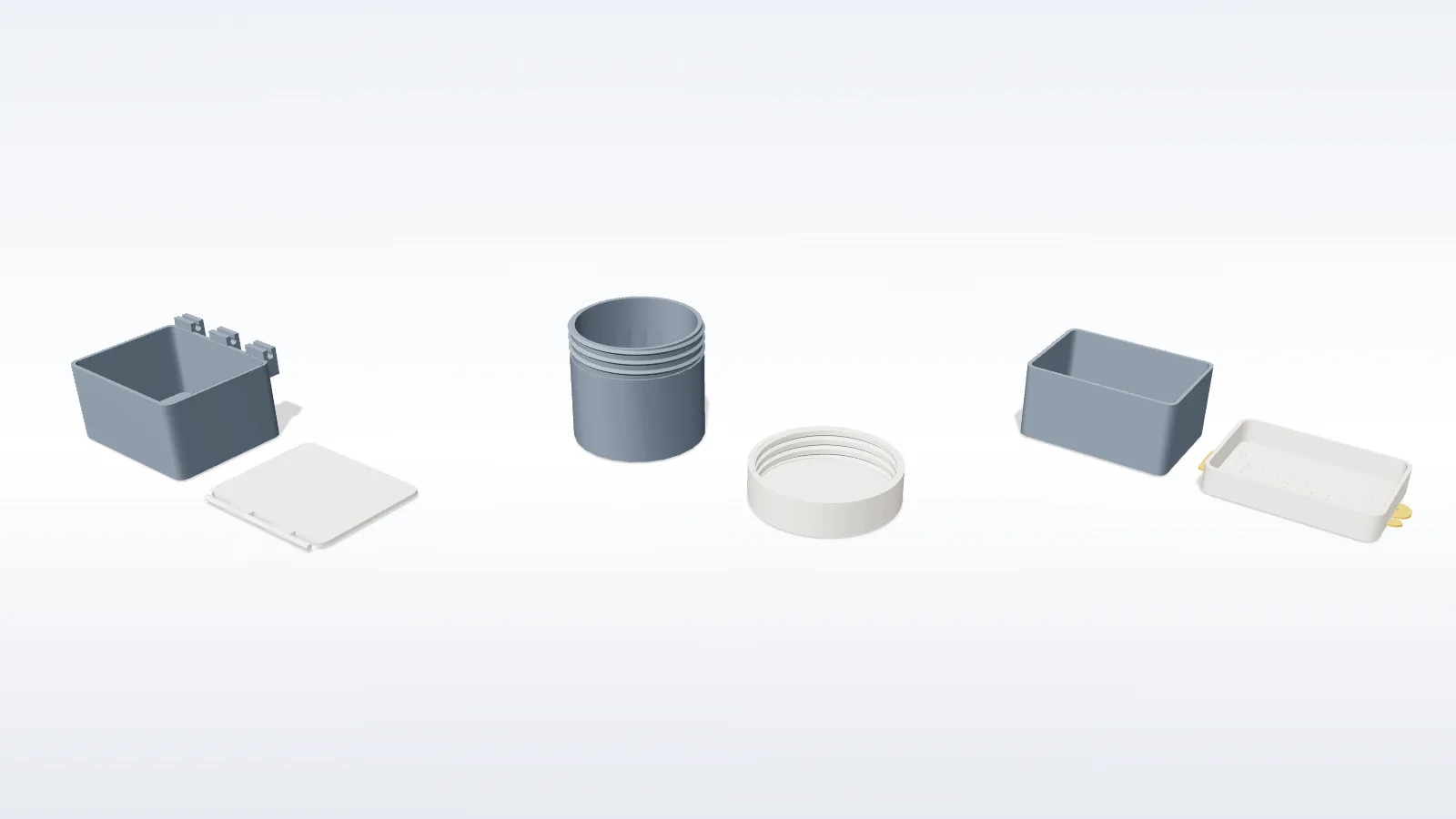
- Slide — runs in a groove
- Snap — a plug lid that clicks into the rim
- Magnet — seats for press-fit magnets
- Screw — a threaded neck and cap
- Hinge — a snap-fit axle, both halves print flat without supports
Lids can carry a pierced pattern or inlaid text. Dividers follow the footprint. The fit is set by Fit Clearance — 0.2 mm by default for FDM printers.
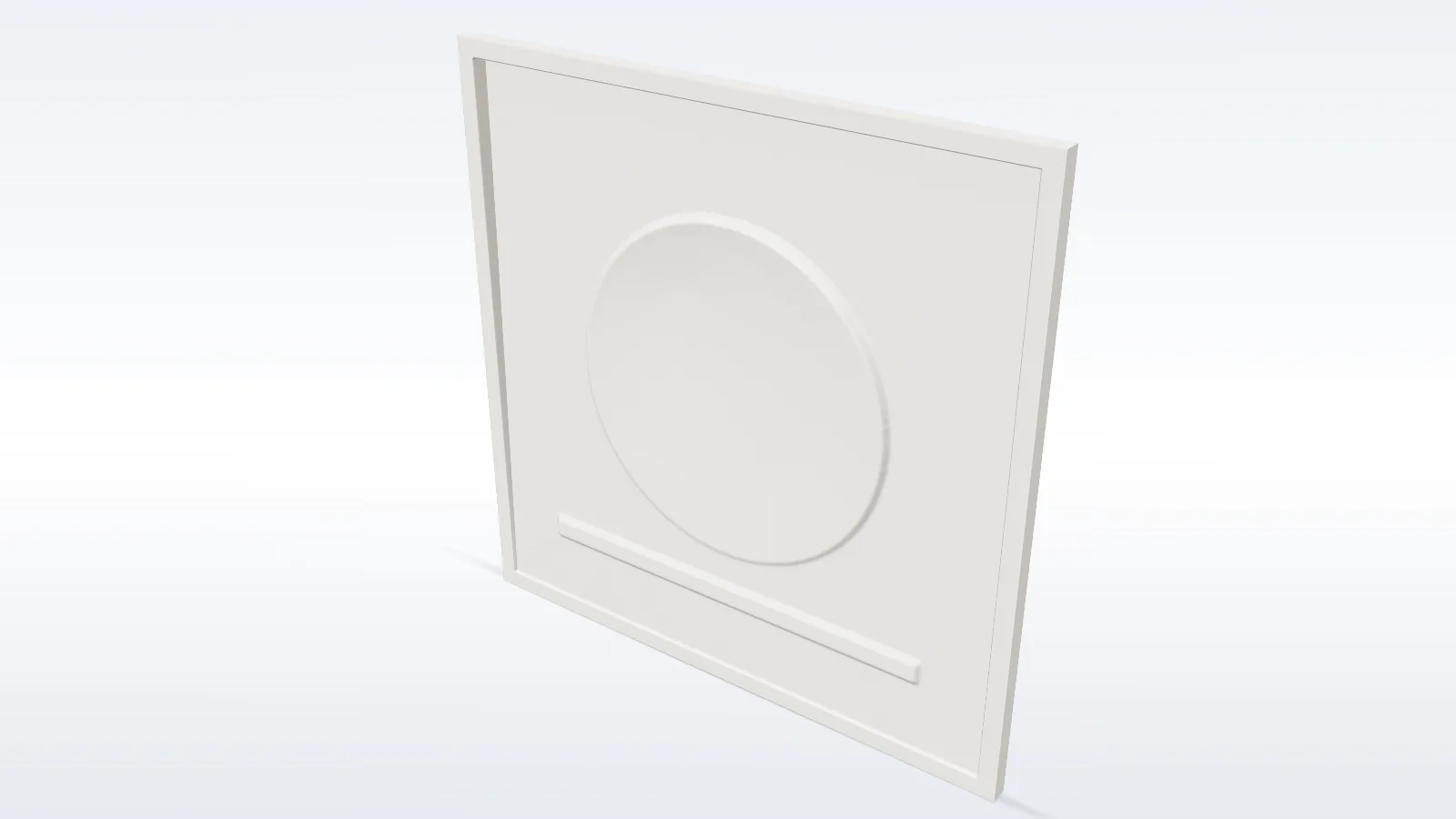
A lithophane is a photo carved as thickness: bright parts become thin, dark parts thick. Held up to a light, the photo appears.
- panel size and Min/Max thickness in millimetres
- Contrast lifts a flat photo; Smoothing removes noise
- a border keeps the panel rigid
Print upright, at 100% infill, in white filament with fine layers.
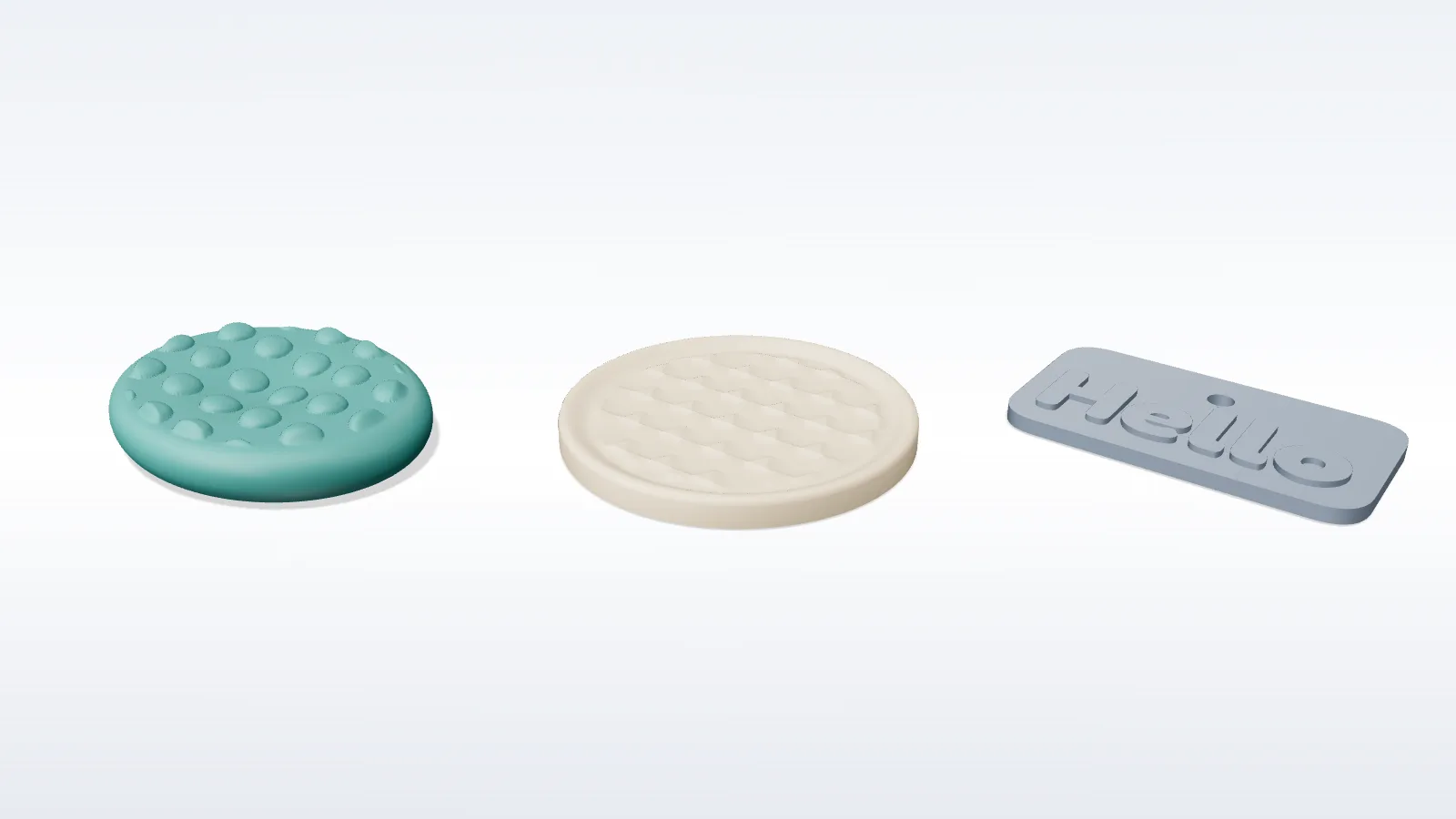
Palm-sized smooth objects with a dished thumb rest. Stones, coasters and keytags share the same controls: a built-in outline or your own SVG, a surface pattern, a key-ring hole, and a logo or text inlaid into the underside for a second filament.
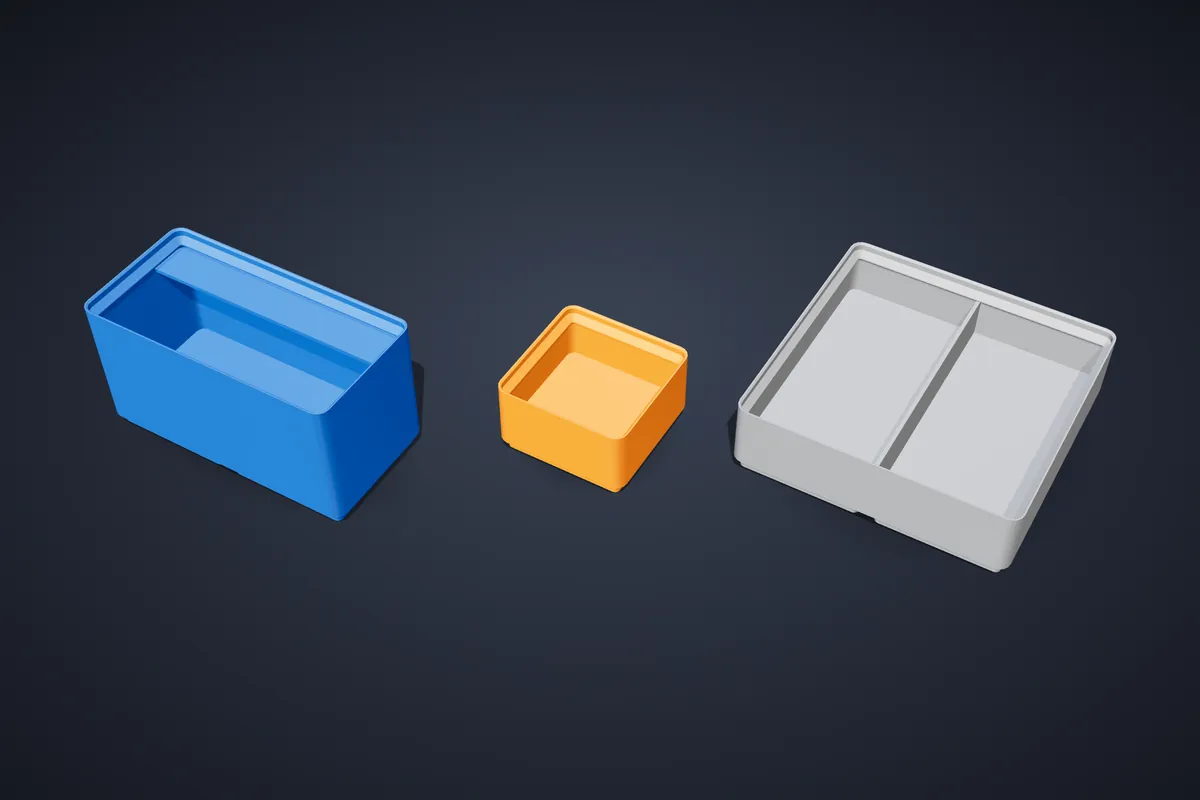
Yes. Bins and baseplates use the standard 42 mm grid and stacking lip, so they fit baseplates you already own.
- footprint in grid units, height in 7 mm units
- magnet pockets for 6.5 × 2 mm discs, screw holes for M3
- dividers, a scoop front and a label tab
The jump-ring hole is part of the geometry, so it is in the same place on both earrings. Matching pair outputs both; mirroring gives the opposite hand. Ornaments have the hanging loop moulded into the outline.
About 2 mm is the practical minimum for something handled daily.
Type the text and pick a font; the plate grows to fit. Four outlines (plaque, rectangle, ellipse, arch) and five mounts: free-standing, plant stake, cake topper, hanging hole or wall screws.
For two colours tick Two-colour and download 3MF — the letters arrive as their own part for the slicer.
Object library
The Ultra plan adds a catalogue of 1298 adjustable designs in twenty categories, built on shared parametric shapes. The Pro 3D objects are fifteen types you configure from scratch; the library is a set of ready starting points for a specific job — a spice rack, a drill gauge, a shop-vac adapter, a SKÅDIS hook, a dice tower, a fan guard, a kid boat.
Ultra includes everything in Pro. See the library overview.
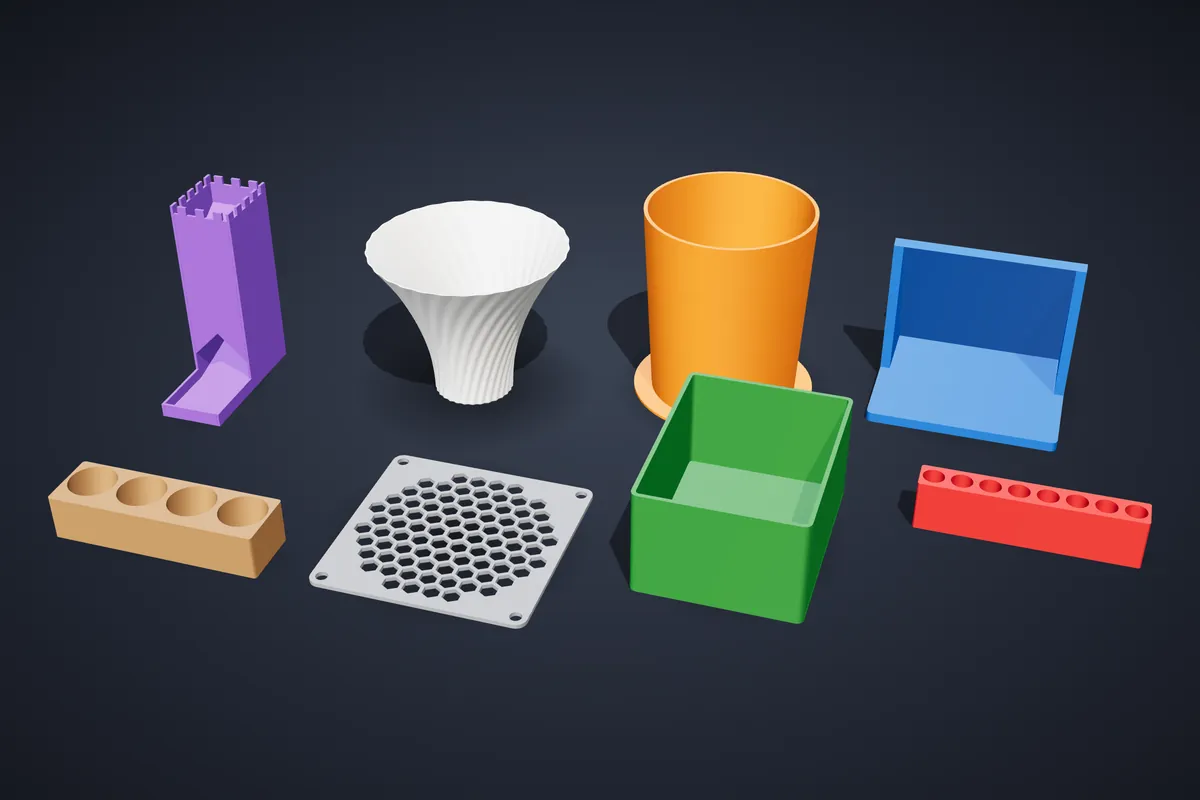
Every one. Choose an object on the Library tab and open Adjust: its dimensions, clearances and options are all there, and the model is rebuilt as you type. Every export is print-checked and watertight.
Tip: measure the thing it has to hold and enter that, rather than relying on the default.
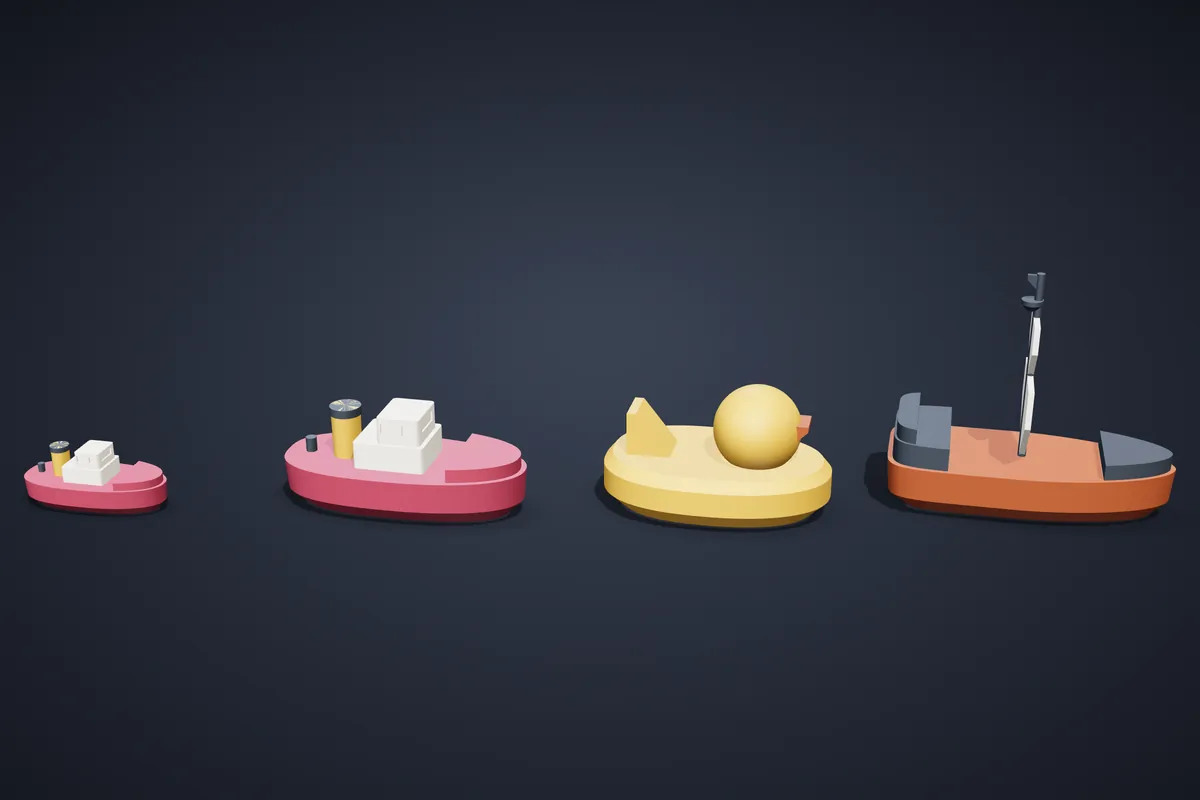
They are chunky, solid, flat-bottomed hulls that float upright, with everything on deck fused on and printable without supports. There are twelve: tug, sailboat, speedboat, pirate ship, cargo ship, fishing boat, paddle steamer, submarine, duck raft, catamaran, a peg-people boat and a mini tug.
The defaults fit a 256 mm bed (Bambu Lab X1 and similar). The scale setting makes a boat bigger or smaller and is capped to the bed, so a boat never grows past what you can print.
Sets, games & pro kits
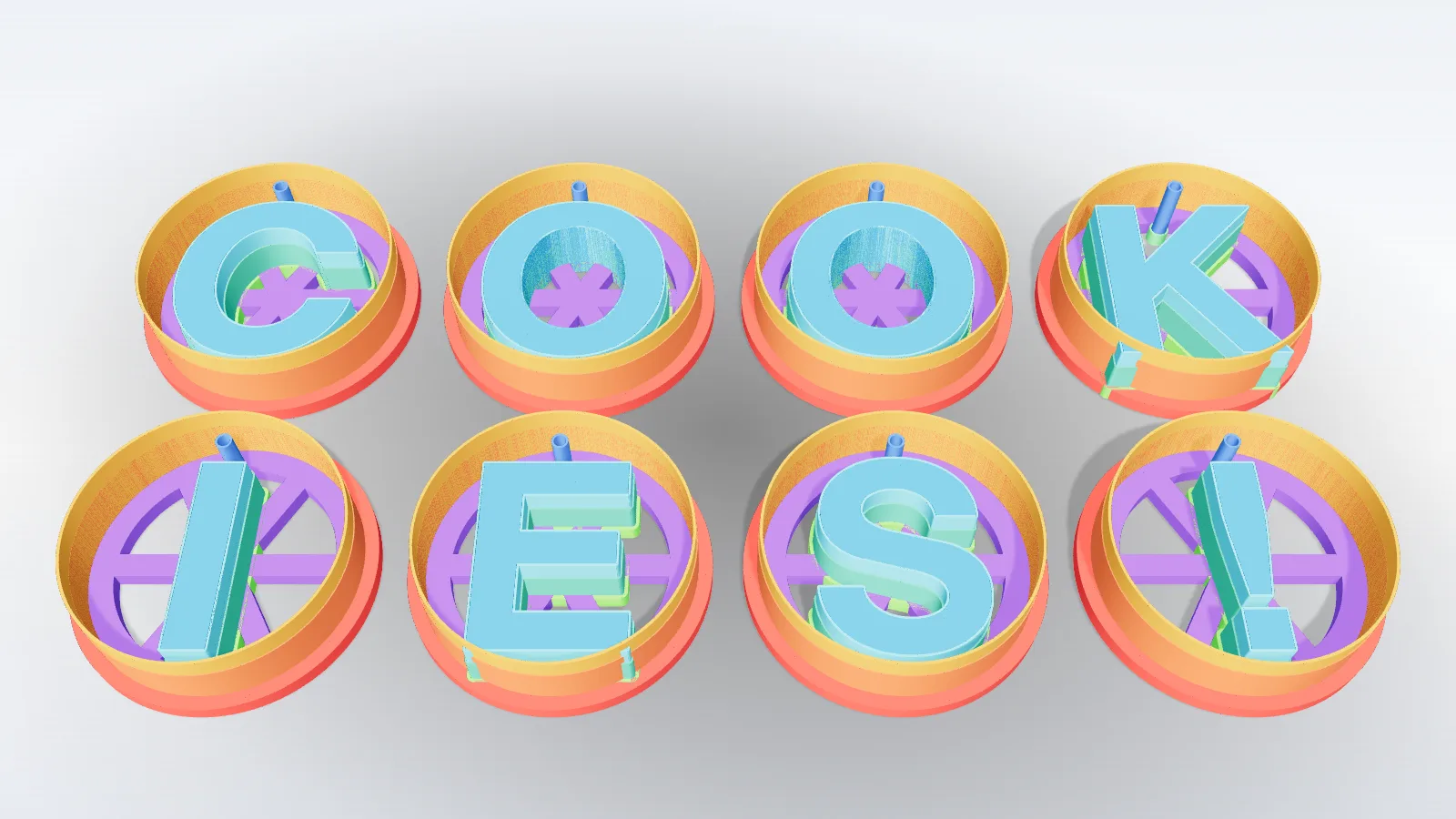
Sets build a matched family of cutters in one pass: A · Alphabet, B · Icons, C · Bubble letters, D · Iconify icons, or E · Sizes — one shape at several sizes.
- every piece at a consistent size and wall
- packed onto print beds on the Plates tab
- thin strokes braced so nothing falls apart
Sets are part of the Pro plan.
F · Games builds complete, parametric board games in your colours:
Chess comes with a Staunton set (horse-head knight) scaled from the king height, optional felt recesses and engraved coordinates that can be inlaid in a second colour. Included with Pro.
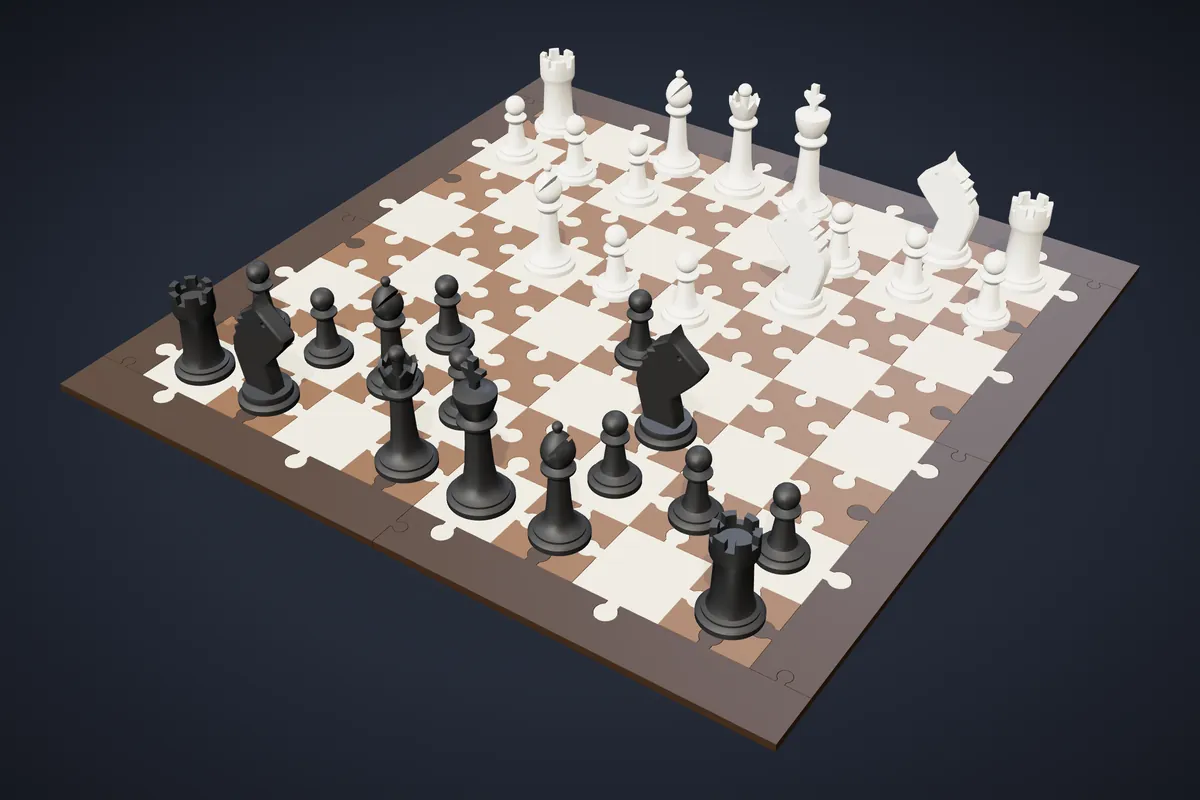
Boards are puzzle boards: every square is its own jigsaw tile that locks into its neighbours and into the frame. Enter your Printer bed size and the tiles are packed onto as many plates as it takes — the finished board is the same size either way.
Puzzle clearance is the gap round every tab. 0.2 mm suits a tuned 0.4 mm nozzle; print one pair of tiles first and adjust in 0.05 mm steps.
One colour per plate gives each colour its own plates, so a single-nozzle printer only changes filament between plates. Turn it off to mix colours on a plate for an AMS.
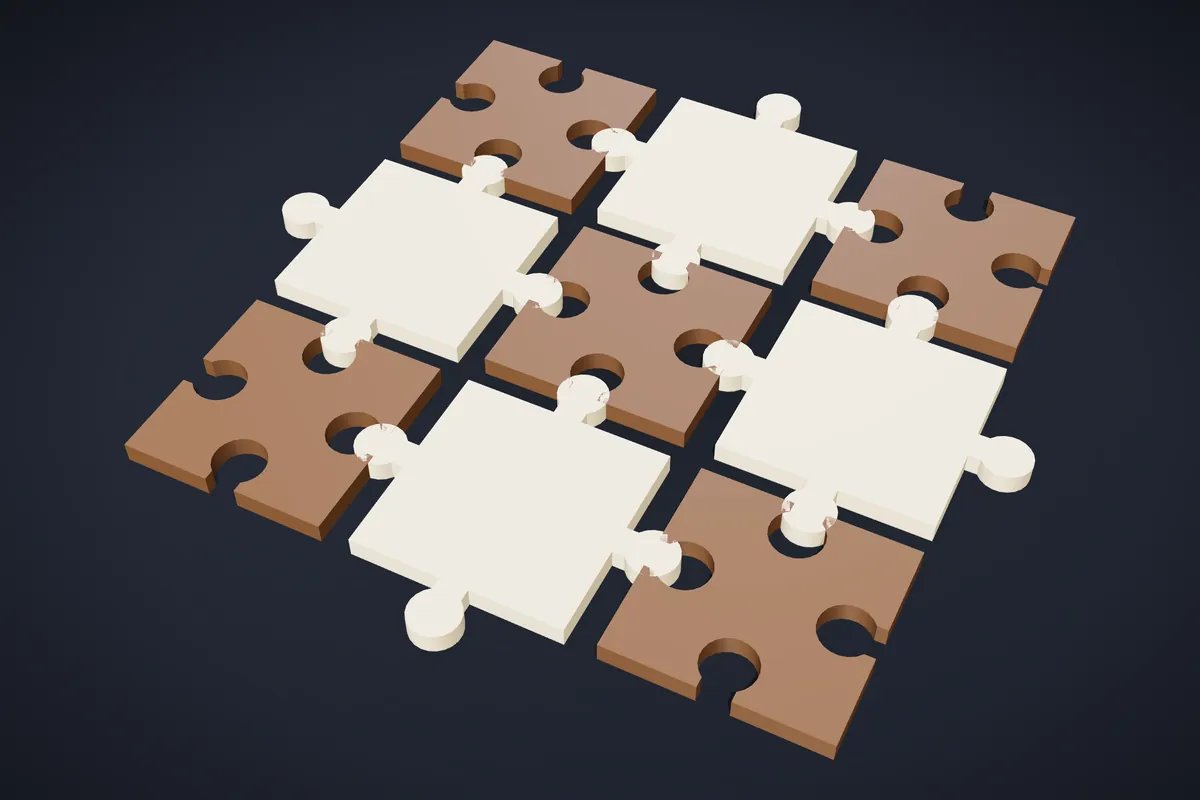
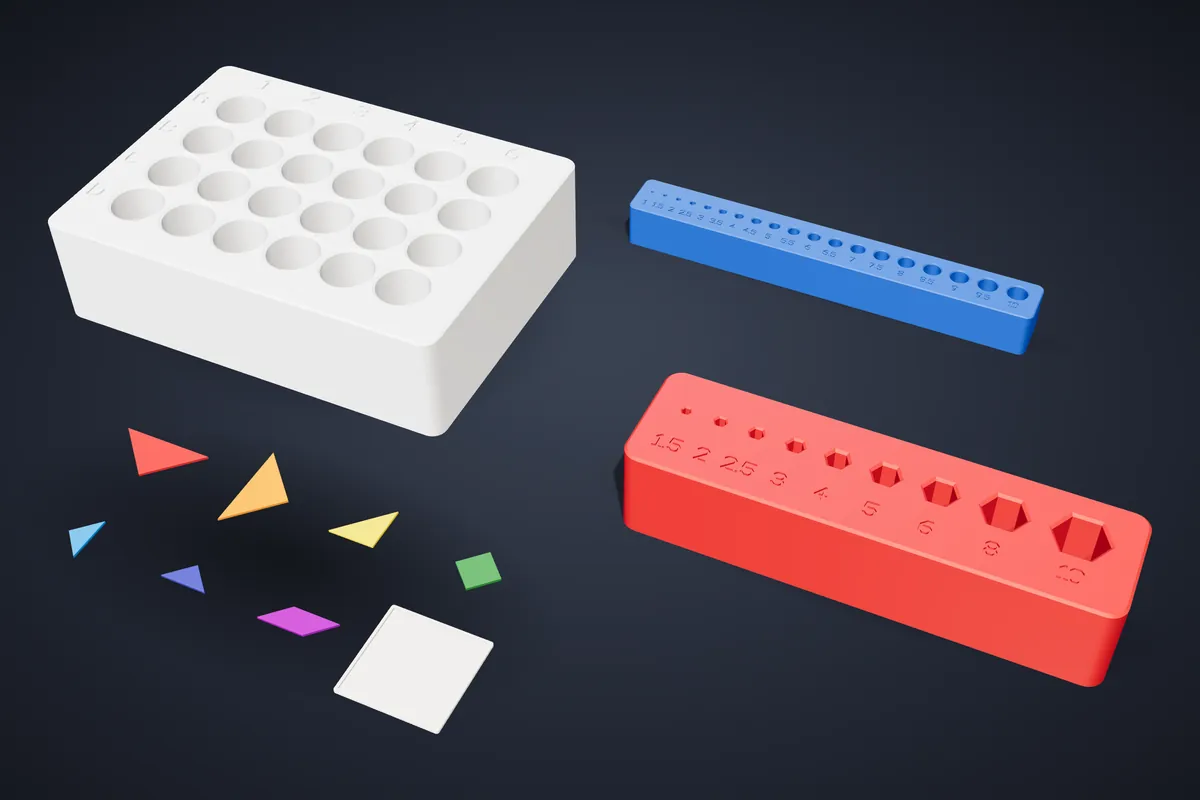
G · Pro kits are sets for workshops, labs, shops and classrooms:
- radius, feeler and setup-block gauges; a bolt, nut and thread-pitch checker
- a drill bit index and a hex-key stand, metric or imperial
- a lab tube rack and an electronics bench kit
- a tangram, fraction circles and geometric solids for the classroom
- a printer calibration set and retail price-tag holders
Sizes are engraved, and every part prints flat without supports. Included with Pro.
A ZIP with one STL per colour for every plate (load them together as one multi-part object for an AMS), a 3MF per plate and a README with the parts list and quantities. You can also export one STL per distinct part, with the quantity in the file name.
Files & printing
Every model is checked as it is generated. The badge in the viewport reports:
- Watertight — no gaps for a slicer to skin over
- Manifold — no edge shared by more than two faces
- Wall thickness — nothing thinner than a nozzle can lay down
- Size — a warning when it will not fit a common bed
Click the badge for detail, including which part raised a finding.
- Layer height
- 0.2 mm (0.12–0.16 mm for stamps and small text)
- Walls
- 3–4
- Infill
- 15–20 %
- Supports
- not needed
- PETG — tougher and handles warm water; the usual choice for kitchen and bath
- PLA — easiest to print; softens in heat and in a dishwasher
A full table per object type is in the slicer cheat sheet.
- Walls before infill — strength comes mostly from walls; 10–20 % infill is enough for almost everything here.
- Thinner walls where safe — 1.6–2 mm for decorative vases, planters 2.4 mm.
- Vase mode for vases, Hollow core for rollers.
- Only as tall as needed — cutters for clay at 8–10 mm.
- Orientation over supports — every generator already orients parts to print without supports.
It lowers your print-order price too, because orders are priced from the real mesh.
STL is one anonymous mesh that opens anywhere. 3MF keeps parts separate and named — on a multi-material printer you assign a filament per part instead of splitting the model by hand.
Pick STL if you send the file somewhere you don’t control, 3MF for anything with more than one part or colour.
Where a model splits sensibly the studio splits it for you: vases (Split parts with snap pins or a lip ring), bird feeders and boxes export as a ZIP with one STL per part. Game boards are puzzle boards by design, and the library’s kid boats scale to your bed.
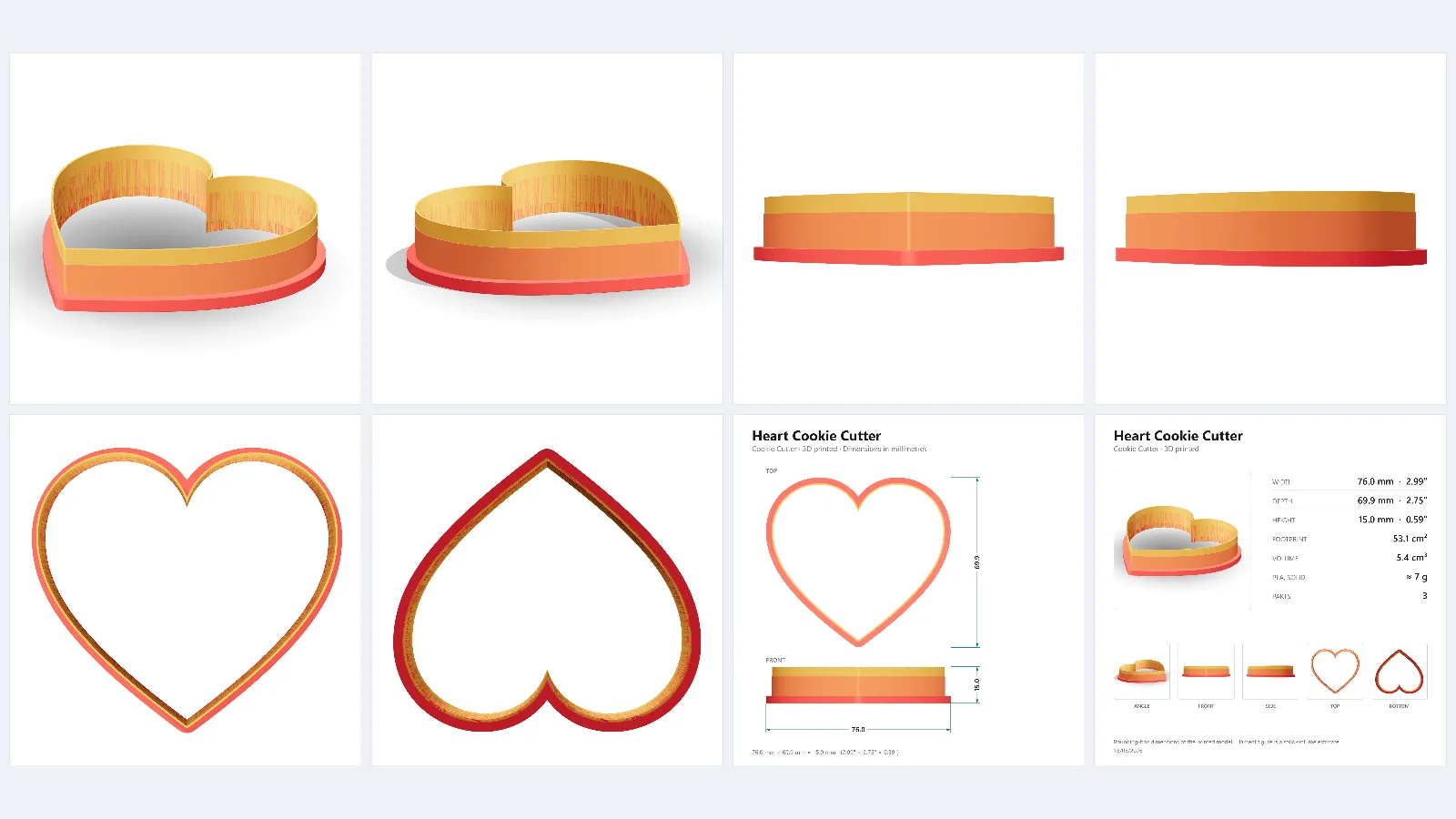
The camera button in the viewport photographs your model and downloads a ZIP: six studio renders at 2000 × 2000 px, a dimensioned drawing in millimetres and inches, a spec sheet with volume, filament weight and part count, and a text file of listing copy — enough for a marketplace listing before you print anything.
Brief contact with dough or fondant is the normal use. What matters is cleaning:
- hand wash in warm water and dry straight away; do not soak
- no dishwasher — the heat warps PLA
- keep food cutters separate from those used for clay, resin or paint
- use a nozzle that has not printed filled or exotic filaments
Print orders & delivery
Log in, save the design, then press Order a print in My Gallery (or Save & order a print in the studio). You can order your own designs, any published community design and designs you bought. Ordering prints does not need a paid plan.
The step-by-step guide is in Tips.
- Materials
- PLA or PETG
- PLA colours
- white, black, grey, red, orange, yellow, green, mint, blue, pink, purple, wood
- PETG colours
- white, black, grey, red, green, blue, clear
- Quality
- Fast · Standard · Fine detail
The colour never changes the price of a single-colour print. The 3D preview in the cart shows the design in your colour.
Every order is priced from the real mesh of the saved design — its weight and print time in the material and quality you choose — plus packing and shipping. Designs without a stored mesh are estimated from their size, and the cart says so.
- 10+ of one design
- −5 % each
- 25+
- −10 % each
- 50+
- −15 % each
- 100+
- −20 % each
Promo codes are entered in the cart. A discount is capped so the price still covers our costs; some codes are for a first order only or need a minimum subtotal.
We print in Latvia within 1–2 working days, then ship:
- Omniva and DPD parcel lockers — Latvia, Estonia and Lithuania
- Courier to the door — the Baltics and the EU
- Latvijas Pasts registered packet — the EU and worldwide (not for large parcels)
- Pick-up in Riga
Each option shows its delivery time and price in the cart. My orders shows the status (Paid, Printing, Shipped, Delivered) and the tracking code.
Yes — a PDF invoice is emailed after payment and is always available in My orders.
- Private buyers in the EU pay the VAT rate of their own country.
- Companies can tick Buying for a company and add their details. With a valid EU VAT number from the delivery country, the invoice is issued without VAT (reverse charge), checked in the EU VIES register.
- Companies in Latvia pay Latvian VAT.
- If VIES is not answering, VAT is charged and refunded once the number checks out.
- Outside the EU no EU VAT is charged; your country’s import taxes may apply.
Print orders are paid by card. Tick This is a gift for a parcel with no prices inside, and add a message we print on a card. There is also a note field for our workshop.
Write to liicutters@gmail.com with your order number and a photo, and we will sort it out with you. If something goes wrong during production, the order shows “Problem — we will contact you” and we get in touch.
Prints are made to order from your design, which under EU consumer law generally excludes the 14-day change-of-mind withdrawal — so please check the preview, material and colour before paying.
Yes. Describe it on the custom design page — use, size, quantity, deadline, photos or sketches — and we reply with a quote within 1–2 working days. Quick tweaks start from €9, new objects from €29, complex projects from €120; printing is priced separately. You can keep the design exclusive or let it join the public library for a discount.
Selling & My workshop
Personal use — every plan
Print and use what you design. Individually bought designs come with the same personal licence.
Selling printed items — Pro and above
Pro includes a commercial licence to sell the physical items you generate. No royalties, no per-item reporting.
Selling your own designs as files — Pro and above, on Etsy
From My workshop you can list a design you made as an STL file in your own Etsy shop, when it is your own design (not a remix), your maker’s mark is on the model, and the mark is yours alone. Listings are checked every time they sync.
Everything else — not permitted
Sharing or reselling STL/3MF files outside that flow — including remixed or bought designs, or files without your mark on the model — is not permitted on any plan.
The workshop shows a checklist, and a file listing goes live only when every line is ticked:
- Pro plan or above
- your own design (not a remix)
- an Etsy shop (Shopify has no built-in digital delivery)
- a maker’s mark set in Brand kit
- the mark on the model itself
- the STL stored with the design
- branded product shots (needed before a live sync)
The suggested price for a file depends on its kind, and you can change it freely.
Your shop name or monogram, 2–20 characters, set in My workshop → Brand kit. No two sellers can use the same mark, so every file sold carries a name only its maker can put there.
It must be on the model: a text line (Text tab) on a cutter, a text stamp, the text of a keytag, sign or ornament, the lid text of a box or the underside text of a worry stone. Designs with no text on the model can still be sold as printed items.
- Brand kit — shop name, tagline, logo, up to six brand colours matched to our filaments, and your maker’s mark
- Print defaults — material, quality, colour and units for every print order
- Company & addresses — invoice details and saved delivery addresses
- Shops — connect Etsy or Shopify; Test mode builds exactly what would be sent without sending it
- Products & sync — push designs to a shop with listing texts generated from the real size and material
For printed-item listings you set a markup on our print price; with automatic fulfilment, we print and ship each order that comes in.
Community designs
Explore shows designs people published from the studio. Browsing the renders is free for everyone. On Pro and above you also see who made each one and how often it was taken, and can Open and remix it — the remix opens as your own copy with every parameter adjustable.
Anyone with an account can order a print of a published design.
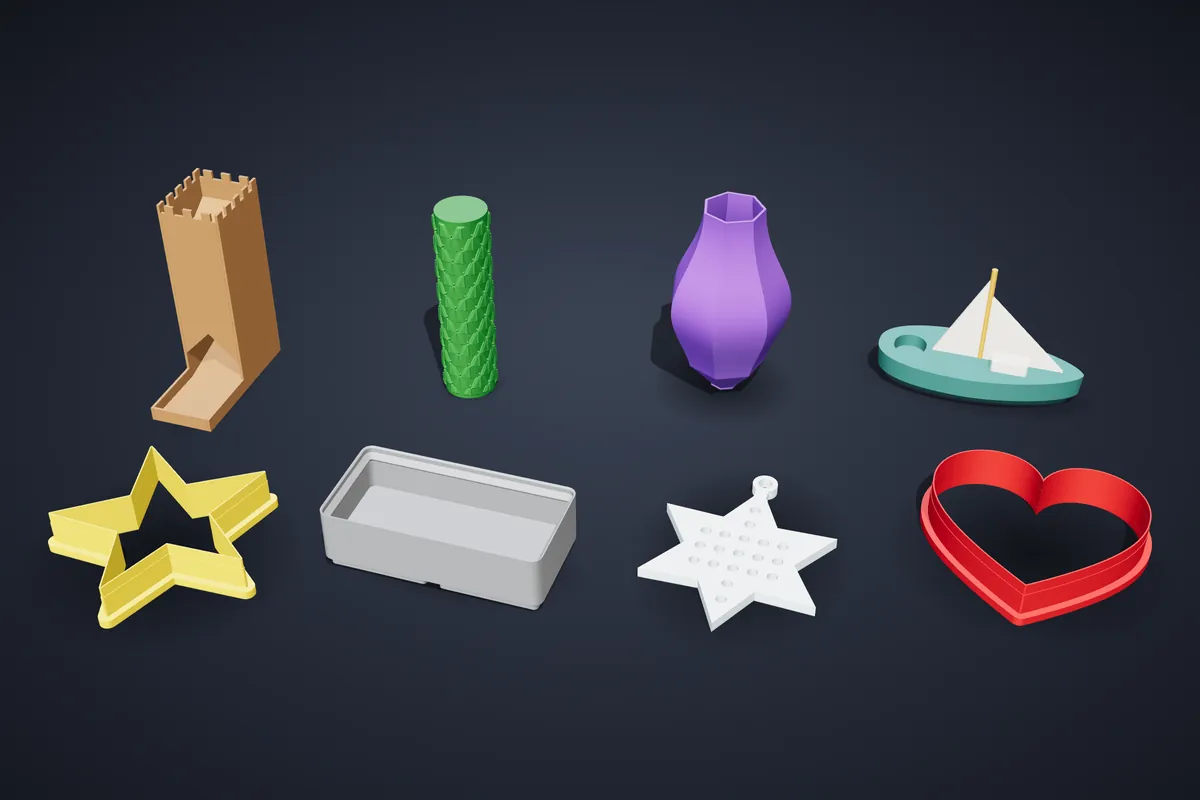
Save a design to your gallery and make it public; the render in Explore is made from your model. A remix leaves the original untouched.
A remix can be printed for yourself and, on Pro, sold as a printed item, but it cannot be sold as a file — only your own original designs can.
Account & privacy
Designing needs no account. An account gives you a gallery where designs are saved with all their parameters, so reopening one lets you change any setting rather than edit a finished mesh.
An account is also needed to order prints, publish to Explore and use My workshop. If you cancel a subscription, your designs stay — only the paid modes lock.
Tracing, geometry and export all run in your browser. An uploaded file reaches our server only when you choose to: saving a design to your gallery, publishing it, or ordering a print (we need the model to print it).
Our site statistics are cookieless. We do not set a tracking cookie, and we store no IP address or browser fingerprint. A visitor is counted once per day through a key that changes every day, so visits cannot be linked across days. If your browser sends Do Not Track or Global Privacy Control, the page view is counted anonymously and nothing else is recorded.
Plans & billing
The cutter studio is free. Each plan includes everything below it:
- Free — €0
- The full cutter studio, 2 free STL downloads a month, then pay per design. Print ordering and community browsing.
- Maker — €5.99/mo or €49/yr
- Unlimited downloads, the Texture Roller maker, Font Stamps and the SVG Editor.
- Pro — €14.99/mo or €119/yr
- The 15 parametric 3D object types; Sets with cutter sets, game sets and pro kits; a commercial licence; selling your own designs as files on Etsy; the community.
- Ultra — €24.99/mo or €199/yr
- The parametric object library — 1298 adjustable designs in twenty categories.
Yearly billing is about 30% cheaper than paying monthly. For a single project there is also a 7-day pass (€4.99, paid once, nothing renews): everything in Pro for a week, with a personal licence. See the pricing page for the full comparison.
Pro or above for both: selling printed items you generate, and selling your own designs as STL files on Etsy. See Can I sell what I make?.
Card payments run through Stripe (Visa, Mastercard, American Express, Apple Pay, Google Pay), so card details never touch this site; PayPal is available for subscriptions and file purchases. Print orders are paid by card.
Subscription invoices and card changes are in the Stripe billing portal: open Account → Manage billing. Print-order invoices are in My orders. Plan changes take effect immediately and are prorated. Payment problem? Write to liicutters@gmail.com.
Open Account and choose Cancel subscription, or use Manage billing. Cancellation takes effect at the end of the paid period; you keep access until then and are not charged again.
Afterwards the paid modes lock, but your designs stay in your gallery, and files you downloaded remain yours under the licence that applied when you downloaded them.
You keep everything you have and never pay more than before. Base subscribers now also get Font Stamps and the SVG Editor, because Base and Plus became one plan, Maker. Plus (including earlier Maker Pro and Transfer Pro subscriptions) keeps its price and features, and you can switch it to Maker on the pricing page at any time.
Ready to design something?
The cutter studio is free and needs no account.