Box generator with lids
A box and its lid, sized to what goes inside rather than to the nearest download. Pick a shape and a lid, type the size, and both parts are rebuilt as you go, with the fit between them set for an FDM printer.
Just one project? A 7-day Pro pass is €4.99, no subscription.
How it works
- 1
Choose the shape
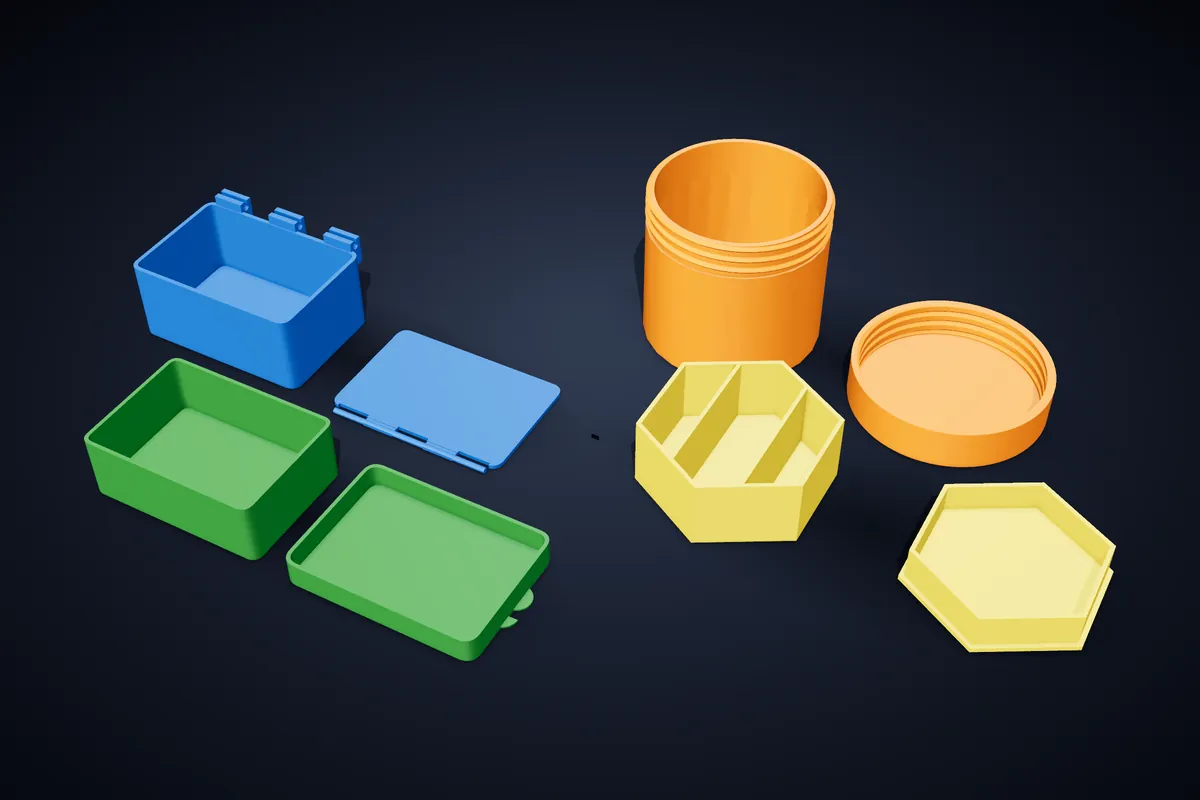
Rounded rectangle, rectangle, square, hexagon, round or oval. Width and depth go from 20 to 250 mm, so anything from a pill box to a drawer tray fits one print bed.
- 2
Choose the lid
A slide-on cap, a snap-in plug, a magnetic lid, a snap-on hinge, a screw-top thread, or no lid at all. The gap between box and lid starts at 0.2 mm and can be tuned for your printer.
- 3
Add the inside and the outside
Up to 8 × 8 compartments, a relief pattern on the lid or cut right through it, a name or label in raised or engraved letters, and a recess underneath so boxes stack.
- 4
Download both parts
The lid is laid out beside the box so both print flat. Take one STL, or a 3MF with the parts kept separate, after the print check.
Six lids, one fit
Each lid is built from the same measurements as the box, so the clearance you set is the gap you get after printing, not a guess.
- Slide
- A shoebox cap that slips over the outside of the walls.
- Snap
- A plug that presses into the mouth and holds by friction.
- Magnetic
- A flat lid with 2 to 8 magnet pockets in the rim, for magnets 3 to 15 mm across.
- Hinge
- Clips on the back wall and an axle on the lid; both print flat and snap together once.
- Screw top
- A threaded neck and cap, 1.5 to 6 turns.
- None
- An open box or tray.
When a generator beats a download
Download libraries have the boxes somebody else needed. A case for a particular set of watercolour pans, a pill box with 7 × 2 compartments, a box that must fit a shelf exactly: those are the ones that usually mean opening CAD, and here they are a few numbers.
The same studio makes Gridfinity bins and trays, and a Gridfinity insert from a photo of your tools, when the box is going into a drawer.
Printing boxes
Both parts print without supports. A hinged lid prints flat beside the box and clicks into its clips once; if it turns stiffly, raise the hinge gap a little and print the lid again. A 0.2 mm layer height, three or four perimeters and 15–20% infill suits almost everything here, and none of it needs supports when printed flat on the bed.
Questions
Will the lid fit?
The fit is set by the clearance, 0.2 mm to start with, which suits most FDM printers. If a lid comes out tight, add 0.05 to 0.1 mm and print the lid again; the box does not need reprinting.
What is the largest box?
Up to 250 mm wide and deep and 230 mm tall, which fills a 256 mm bed. The print check warns you if the box and lid do not fit your bed side by side.
Which magnets do I need?
Set the diameter and thickness of the magnets you have, from 3 to 15 mm across, and the pockets are sized for a press fit. Round 6 × 2 mm or 8 × 3 mm discs are the usual choice.
Can I try it before paying?
Yes. You can build any box in the studio and look at it from every side. Downloading needs the Pro plan, or a 7-day pass for a one-off project.
Related
Try it now
Pro includes this mode. Cookie cutters stay free.
Just one project? A 7-day Pro pass is €4.99, no subscription.